Color
Color palettes in OKLCH
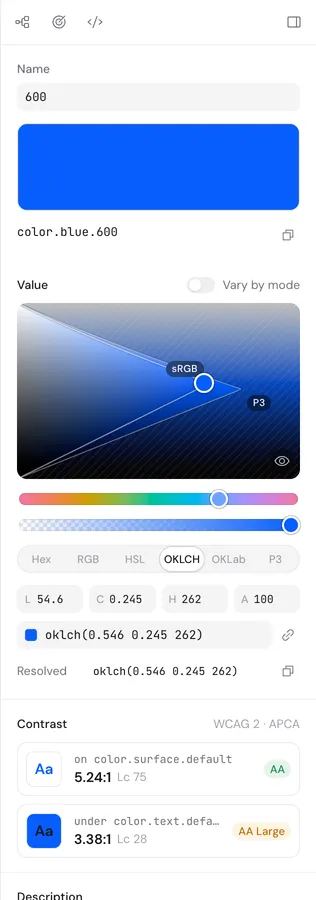
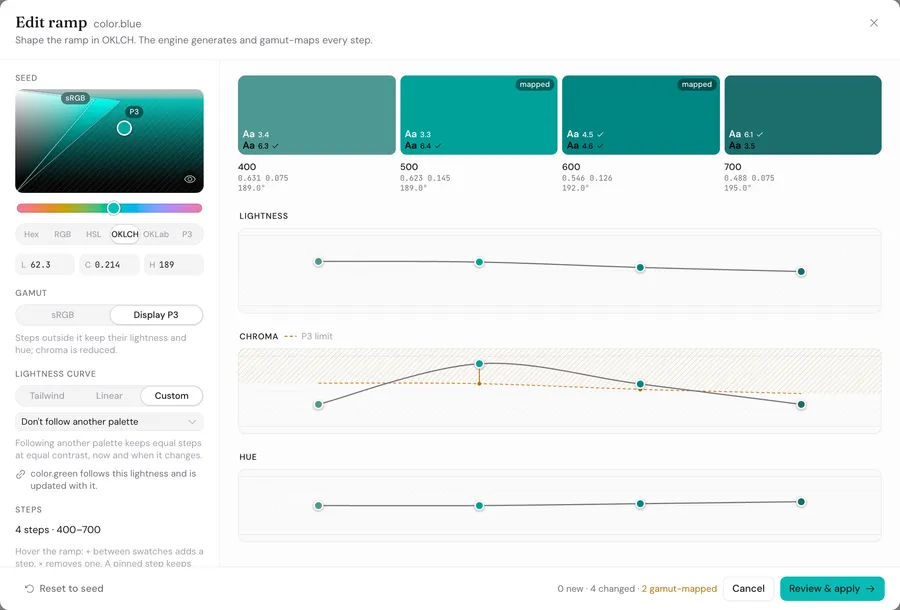
Pick colors in OKLCH with the sRGB and P3 gamuts drawn on the canvas, then grow a full ramp from any seed. Brand palettes can follow one lightness curve.
Coming soon to macOS, Windows, and Linux
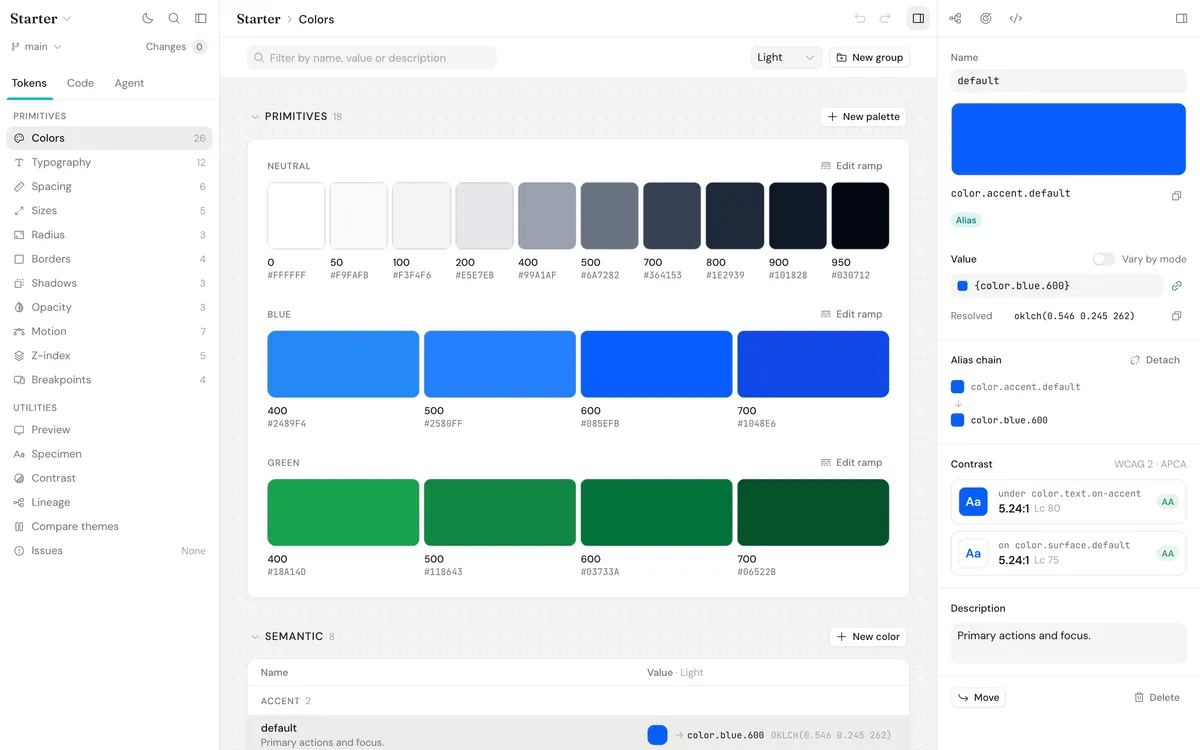
A serious toolkit for building and maintaining design systems. Create palettes and scales, check accessibility, trace token dependencies, preview real interfaces, work directly with Git, and bring your tokens into CI and AI coding tools.
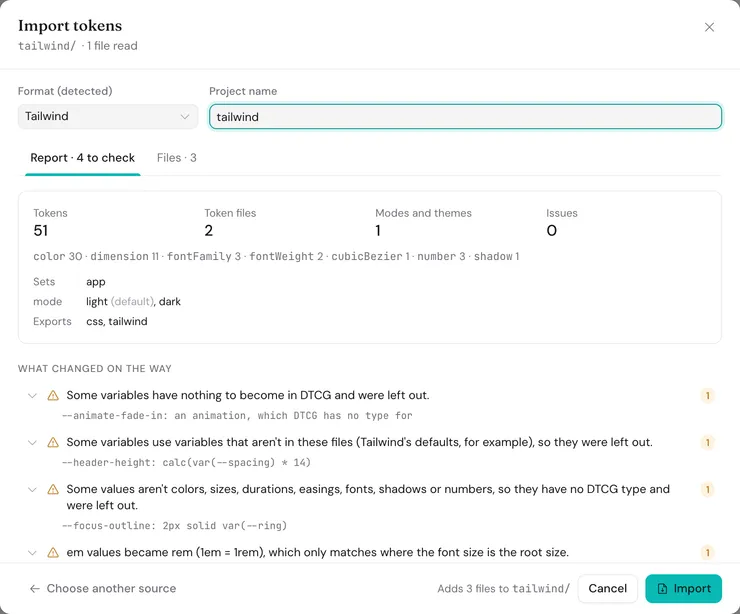
Bring in the tokens you already have, keep them as plain files in your repo, and export them to whatever your code uses.
Import from
Your Git repo
Plain DTCG 2025.10 JSON
Export to
How it works
Bazzle opens the token files in your repo and saves changes straight back to them, so there’s no separate database or sync service to keep up to date.
Features
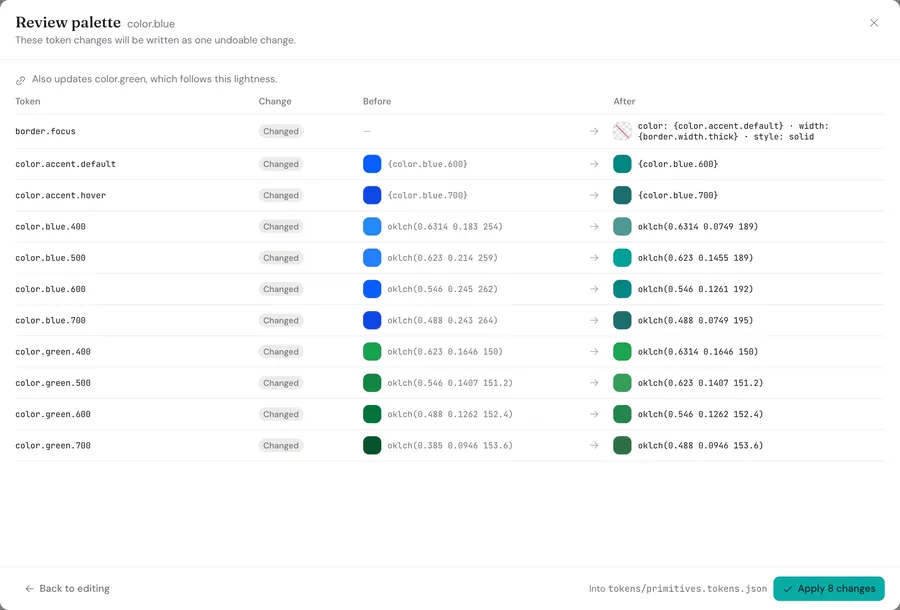
Check contrast, find broken references, and enforce token rules while you work, not after they turn up in a pull request.
Color
Pick colors in OKLCH with the sRGB and P3 gamuts drawn on the canvas, then grow a full ramp from any seed. Brand palettes can follow one lightness curve.
Typography
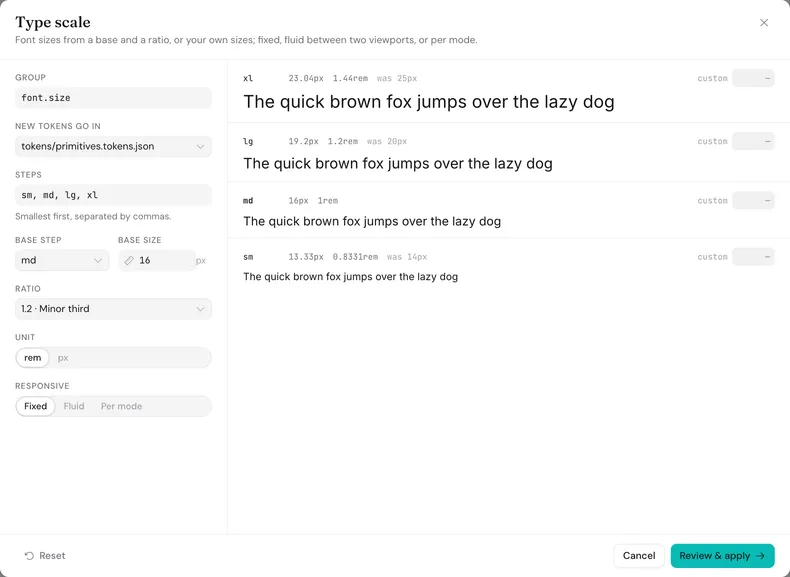
Set a base size and a ratio, or your own sizes, and see every step before it’s written. Scales can be fluid, with clamp() between two viewports.
Spacing
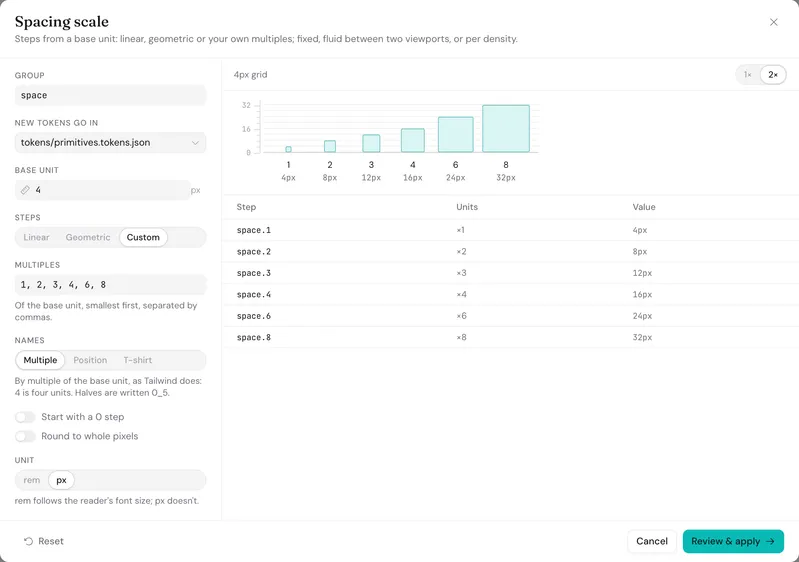
Build linear, geometric or custom scales from a base unit, named the Tailwind way or in t-shirt sizes, and check them on a true-size ruler.
Shadows
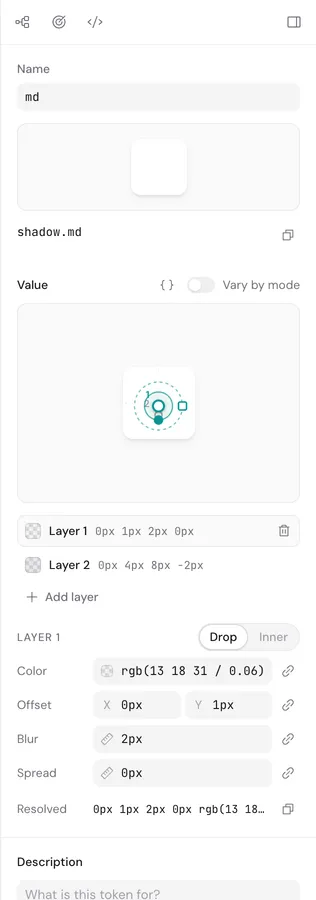
Drag a shadow’s offset and blur on a canvas, stack drop and inner layers, and link any part to a color or size token.
Motion
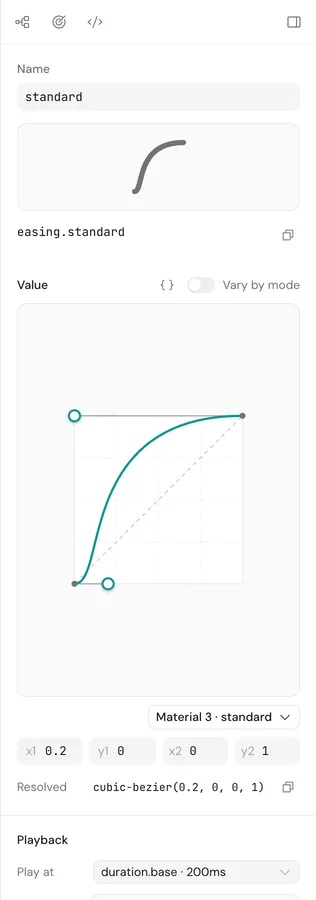
Drag the handles of a cubic-bezier and watch it play at its real duration. Each token can also carry a reduced-motion variant.
Code
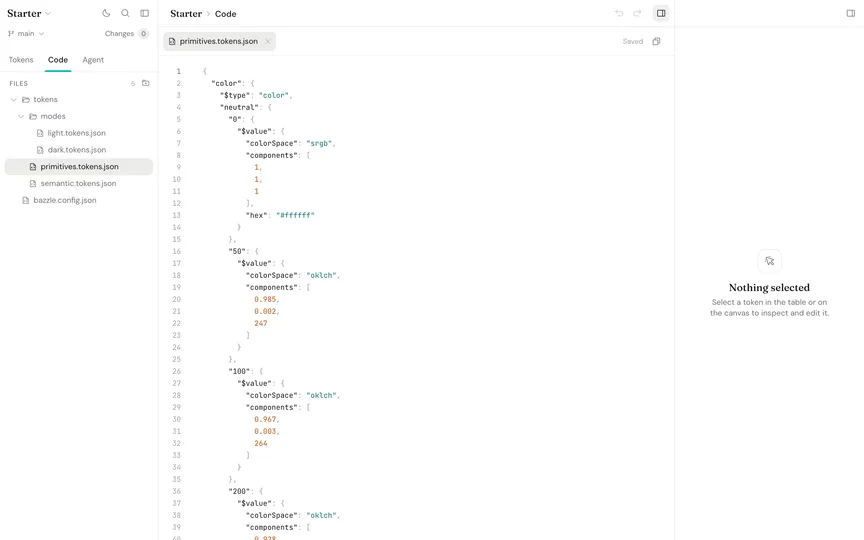
The code view has reference autocomplete, hover previews and inline errors, and it stays in sync with the visual editor.
Accessibility
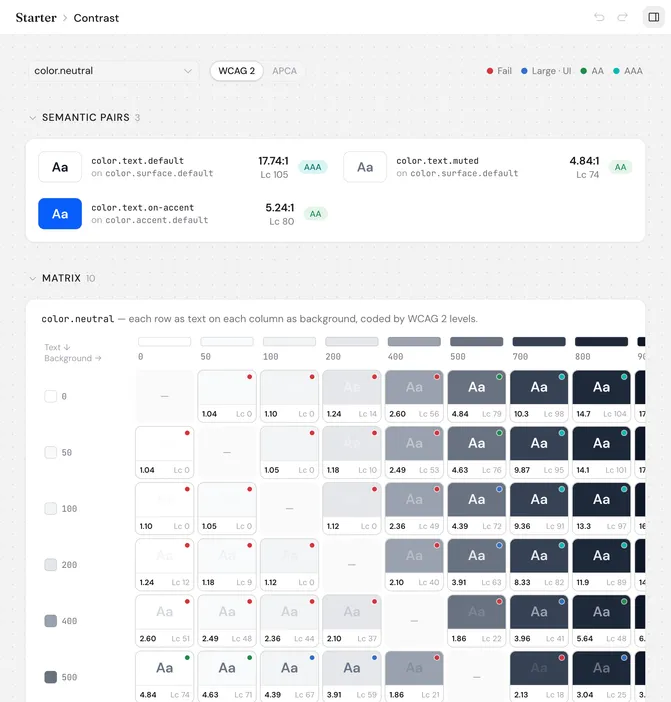
Bazzle scores the color pairs you declare and flags broken references and lint problems as soon as they appear, instead of waiting for someone to spot them in review.
Each declared pair is scored in every theme, and every ramp gets a full contrast matrix.
Broken or circular references, off-scale spacing, small body text and motion without a reduced variant show up in the Issues view and on the token itself.
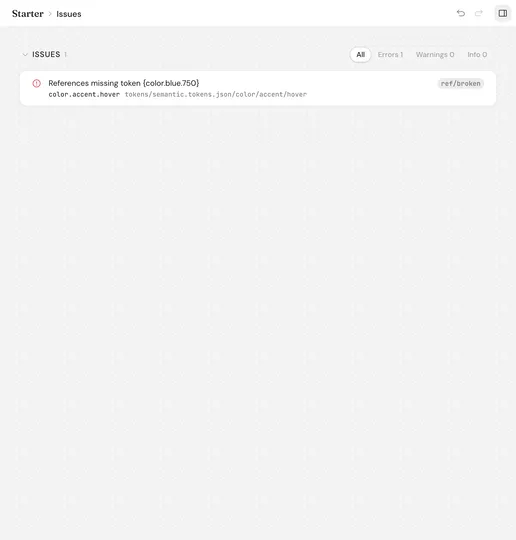
Lineage
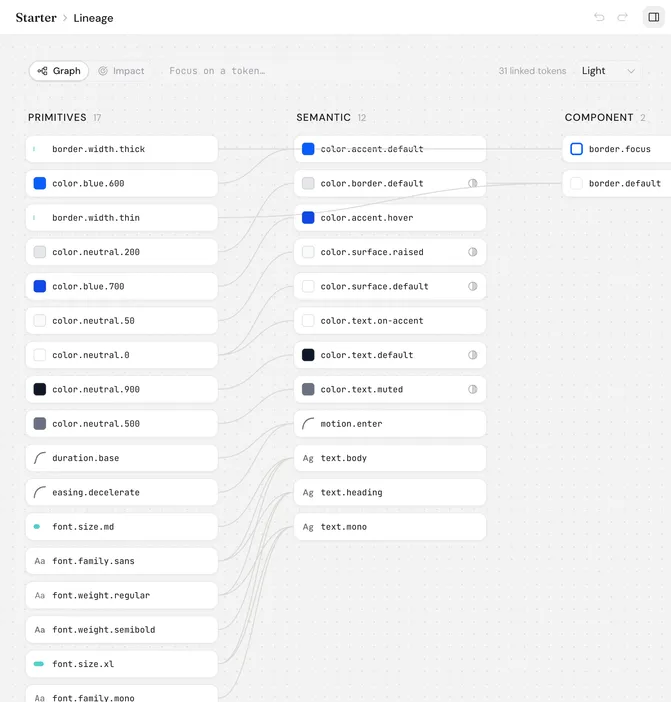
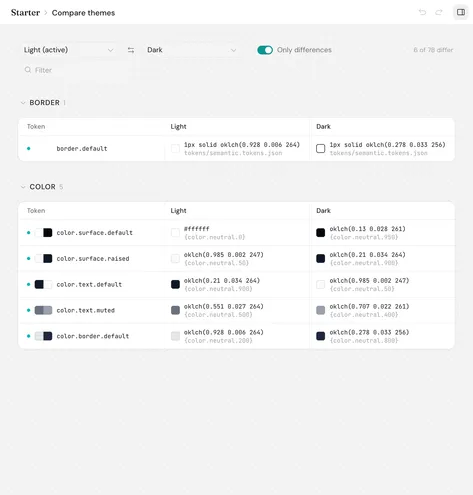
Trace dependencies, understand aliases, and compare themes before changing values that other parts of your system rely on.
Trace a token through every alias that uses it, and see what each one resolves to in every theme.
Put any two themes side by side, showing only the tokens that differ and what each one points to.
Previews
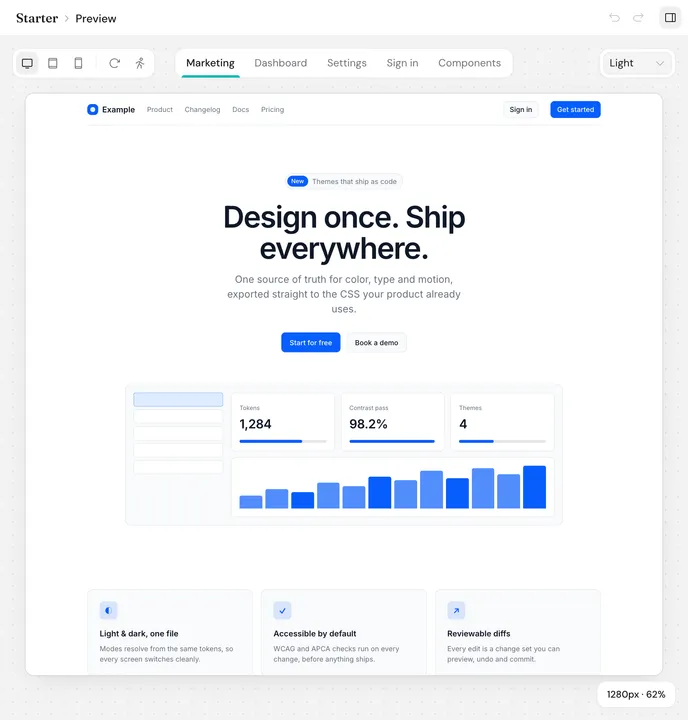
Preview real screens and typography specimens as you edit, across themes and breakpoints.
A marketing page, dashboard, settings and sign-in screen, plus a kitchen sink of components in every state.
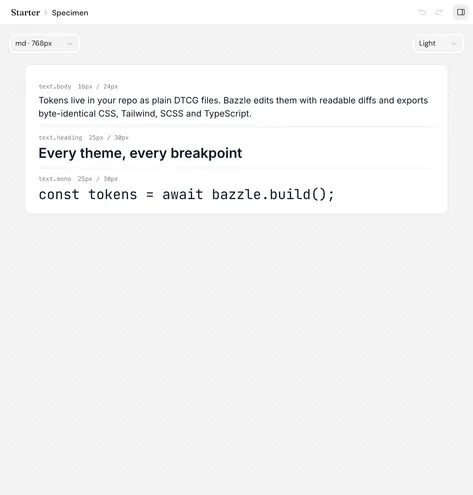
Every text style rendered with your fonts, at the width of any breakpoint.
For design engineers
Edit plain token files directly. Review meaningful diffs, keep changes focused, and commit without handing your source of truth to another cloud service.
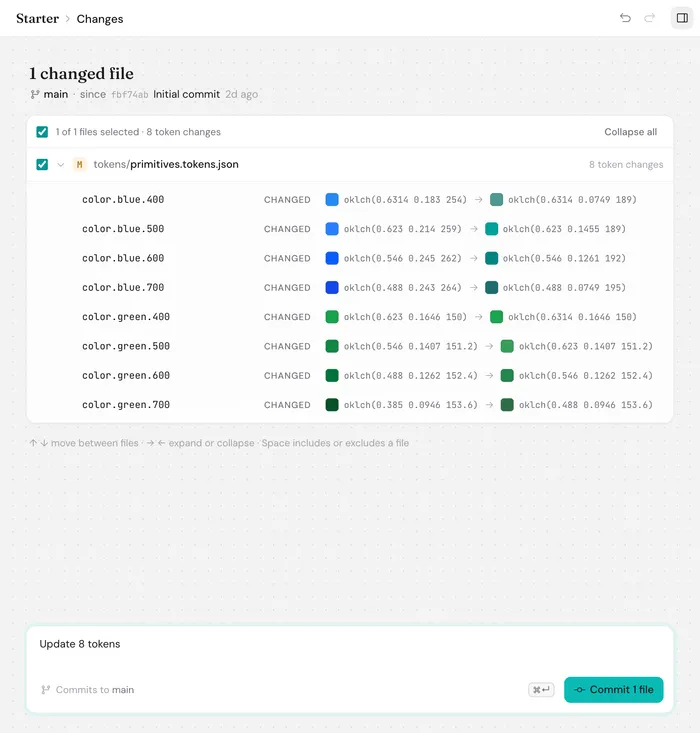
"600": { "$value": { "colorSpace": "oklch", "components": [0.546, 0.245, 262] "components": [0.546, 0.1261, 192] } }, "700": { "$value": { "colorSpace": "oklch", "components": [0.488, 0.243, 264] "components": [0.488, 0.0749, 195] }bazzle build produces exactly the same files as the app, and bazzle validate fails the build if a reference breaks.
$ bazzle validate && bazzle buildPoint Claude Code, Cursor or any other MCP client at your project and it can look up tokens, check contrast and run validation, so the UI it generates uses your tokens instead of guessed values.
$ claude mcp add bazzle -- bazzle mcp --root .See a token-by-token diff for each changed file, choose which files to include, then commit or switch branches from the same window.
Roadmap
Everything above already works. Early access will open before this list is finished, so you’ll get these features as they’re ready.
Early Access
Connect Anthropic, any OpenAI-compatible API, Ollama or LM Studio, with keys kept in your system keychain. It can suggest palettes, semantic mappings, contrast fixes and renames, and you review each one as a diff.
Export tokens to Figma variables and bring designers’ changes back in, with a report of anything that had to be converted or left out.
Export and import DESIGN.md, the file coding agents read for design guidance, and serve it through the MCP server.
Start a new project from the command line and run Bazzle’s lint rules in CI.
Set naming conventions for your team, validate against the DTCG 2025.10 schema and fix common problems straight from the Issues view.
Start from Radix Colors, Material 3, IBM Carbon or GitHub Primer, as well as the Tailwind and shadcn/ui presets available now.
Try Bazzle in your browser before you buy, running the same engine compiled to WebAssembly.
Signed builds for macOS, Windows and Linux that update themselves.
After launch
Import and optimize SVG icons, tag them, and export them alongside your tokens.
Export to Swift, Android XML and Flutter, with support for Dynamic Type and sp units.
Let coding agents propose token changes, which you review as diffs before anything is saved.
Publish a static style guide so people without a license can still browse your tokens.
Connect design tools through an open adapter interface, starting with Penpot.
See how your previews look with common color vision deficiencies.
Define spring-based motion alongside your cubic-bezier easings.
FAQ
Bazzle is a one-time purchase rather than a subscription, with personal, per-seat and company-wide licenses. Each one includes a year of updates, and the app keeps working at the last version your license covers, so renewing is up to you. The CLI and MCP server are free, and students and open-source maintainers can ask for a free license.
Yes. Bazzle is a desktop app that reads and writes files on your computer, so editing, previews, exports and Git all work without a connection. It only goes online to reach an AI provider, download Google Fonts, check for updates or activate a license, and there’s an offline way to activate as well. Local models through Ollama or LM Studio never leave your machine.
Tokens Studio runs inside Figma as a plugin, with a cloud platform for syncing. Bazzle is a desktop app that works directly on the token files in your Git repo, doesn’t depend on any design tool, and you only pay for it once. If you use Tokens Studio today, Bazzle imports its JSON, themes included, and converts it to DTCG files.
It can, but it doesn’t have to. Style Dictionary turns token files into code for each platform, while you still edit the JSON by hand. Bazzle is an editor for those files, and it exports CSS, Tailwind, SCSS and TypeScript on its own, with a free CLI for CI. If you build for iOS or Android as well, keep Style Dictionary for those platforms and point it at the DTCG files Bazzle writes.
DTCG is the design token format from the W3C Design Tokens Community Group. Tokens are plain JSON, each with a $value and a $type, and they can reference one another. Bazzle reads and writes the 2025.10 version of the format, which Style Dictionary, Terrazzo and Figma can read too.
We’re letting folks in a few at a time. Drop us your email and we’ll send you an invite when it’s ready.